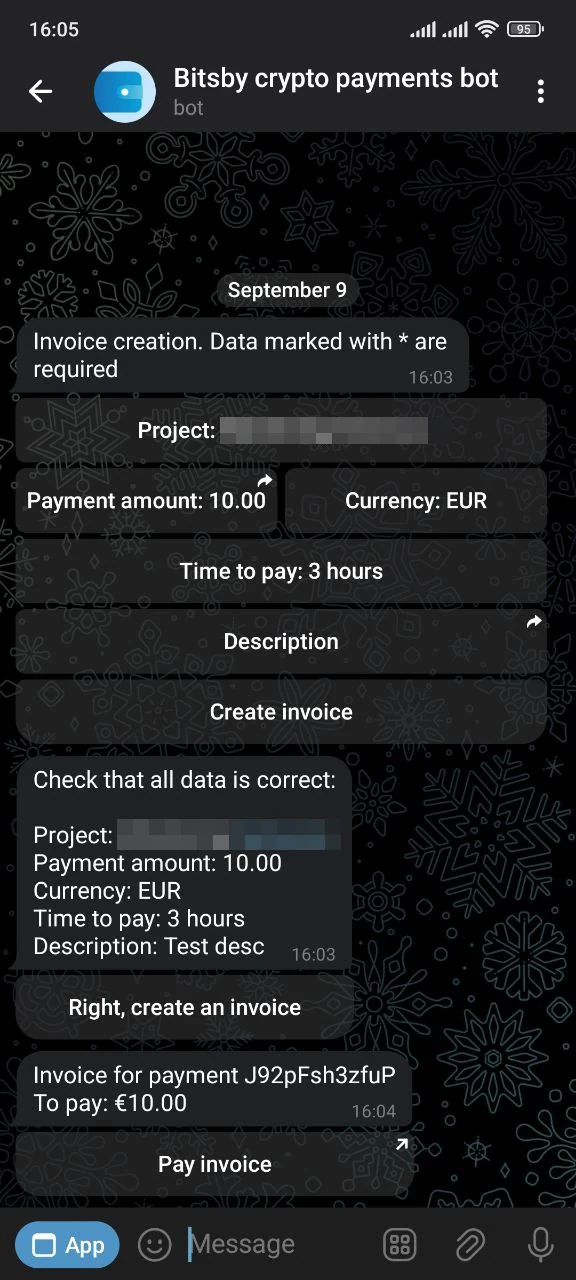
In the Telegram bot
A simple and fast way to create an invoice in the Telegram bot. Once the invoice is created, you get a payment page link you can send to the customer right away.
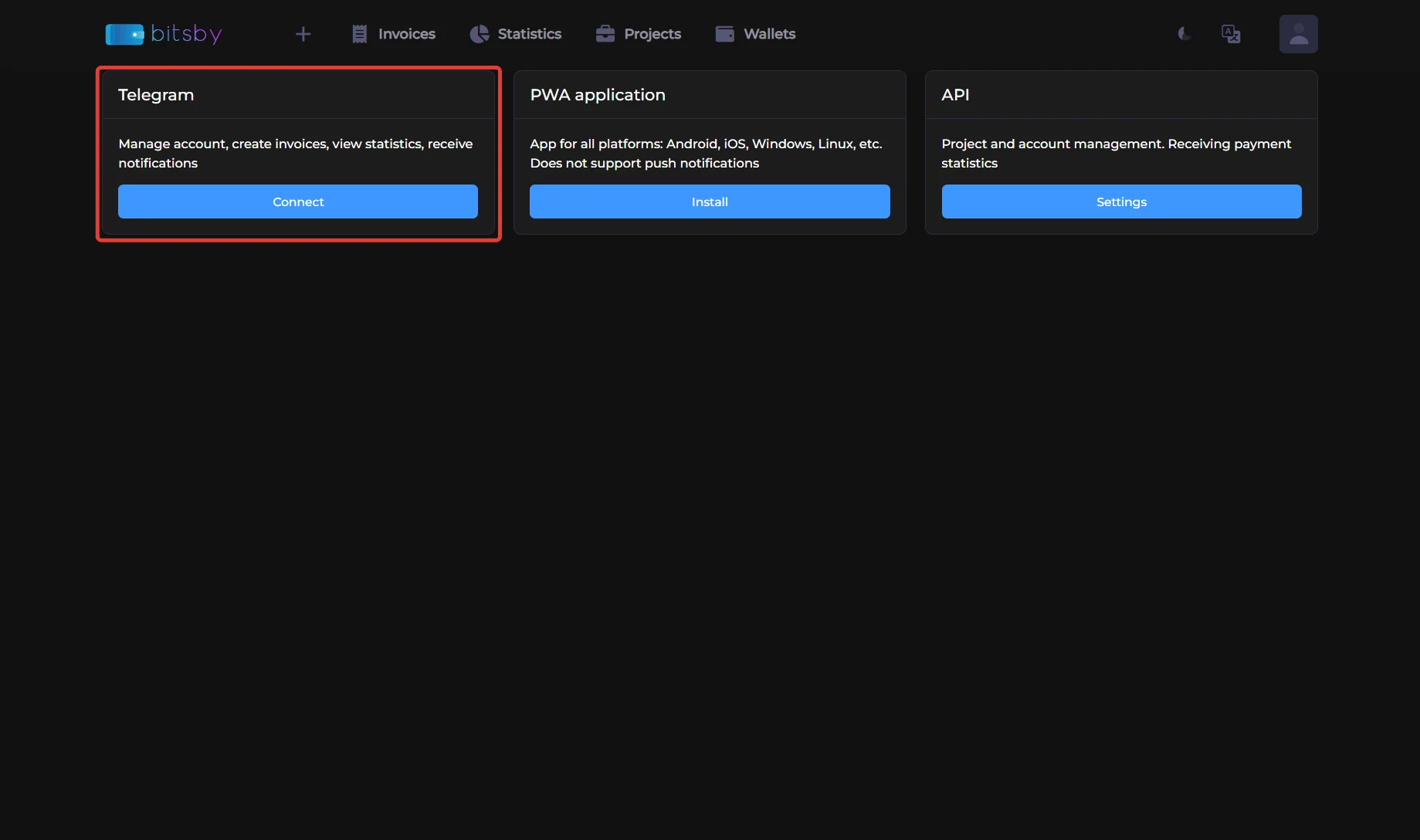
How to connect
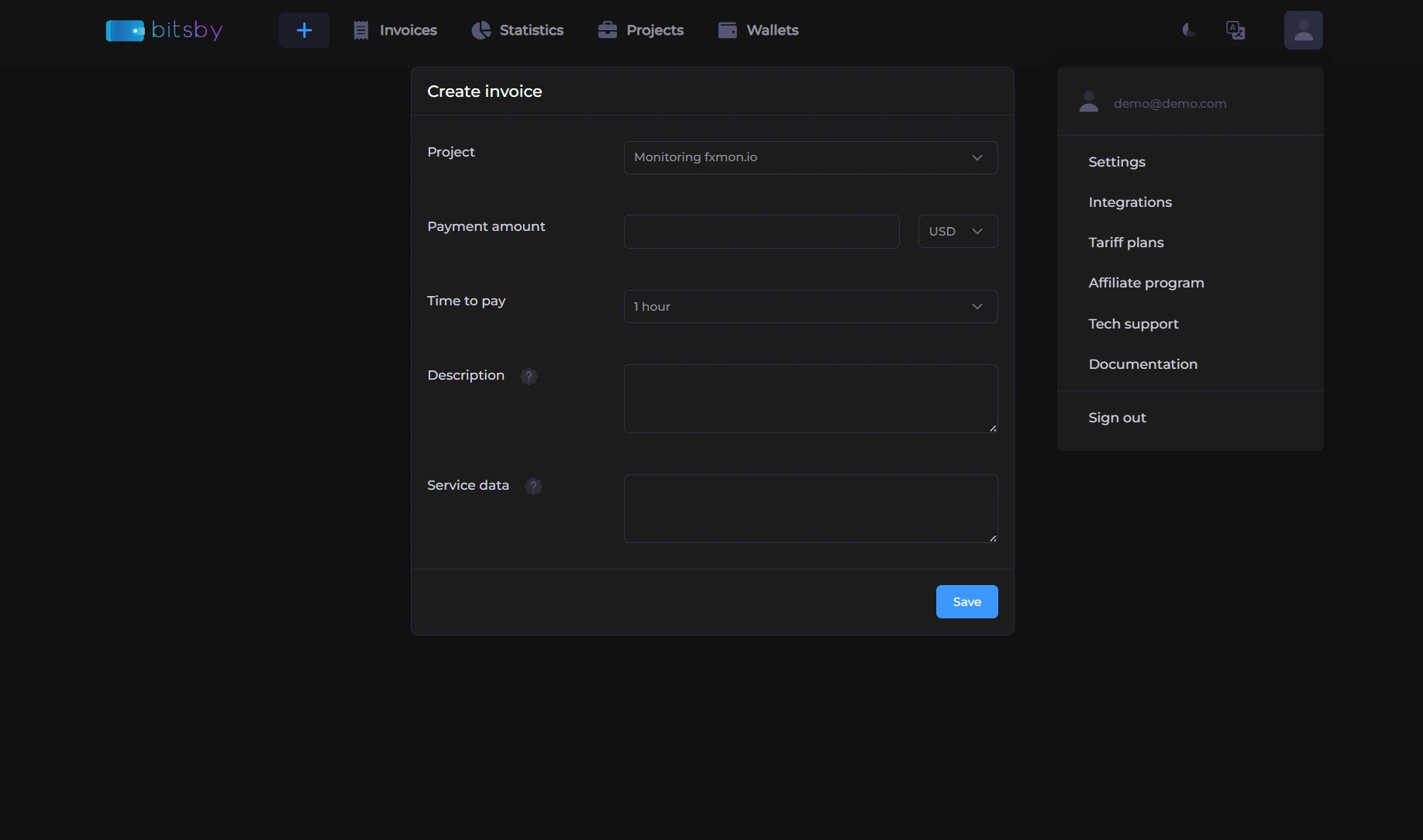
How to create an invoice
- Select the Create invoice command.
- Fill in all required fields marked with an asterisk.
- Confirm that the data is correct.
- Forward the last message with the invoice link to your customer.